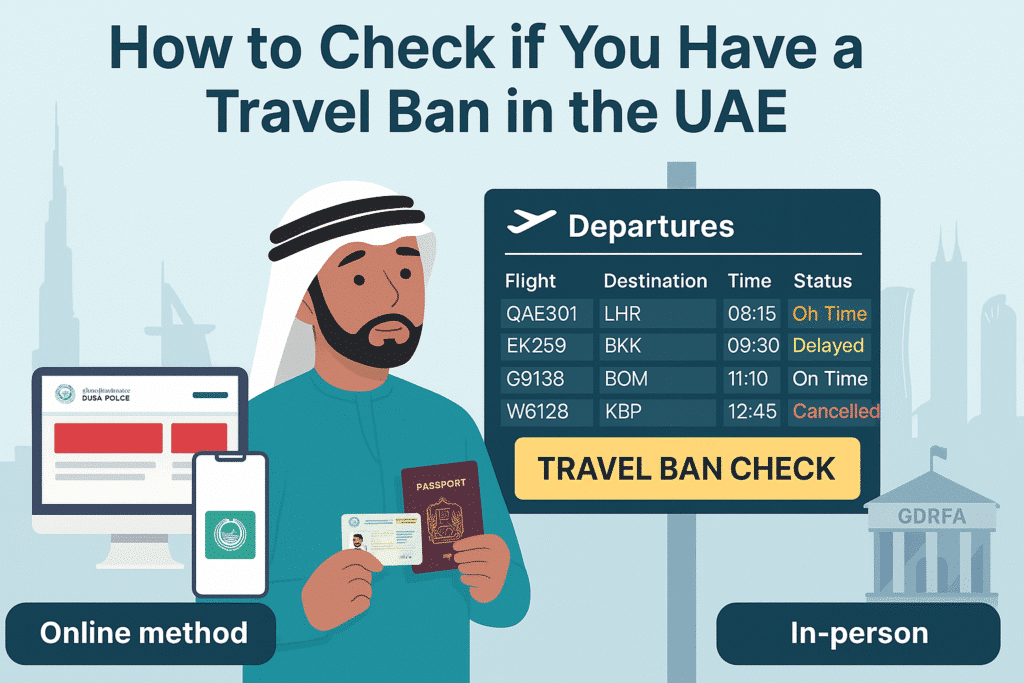
In the UAE, travel restrictions can arise from issues related to finance or immigration. Checking your mobility constraints before a trip is important, whether you wish to travel or move abroad. This post covers various ways to check if You Have a Travel Ban in the UAE. You have the chance to use web resources or go in person to government locations. Each process will be discussed in detail to enable you to make an informed decision regarding your status before planning your travel.
In this guide, I will provide all the methods to check if you have a traffic ban or not. All methods are given below:
- Dubai Police Website
- Dubai Police Smart App
- Abu Dhabi Judicial Department
- In-Person at a Government Office
1. Dubai Police Online Services
Step 1: Visit the Dubai Police Website
To begin, you will need to visit the official Dubai Police website: Dubai Police.
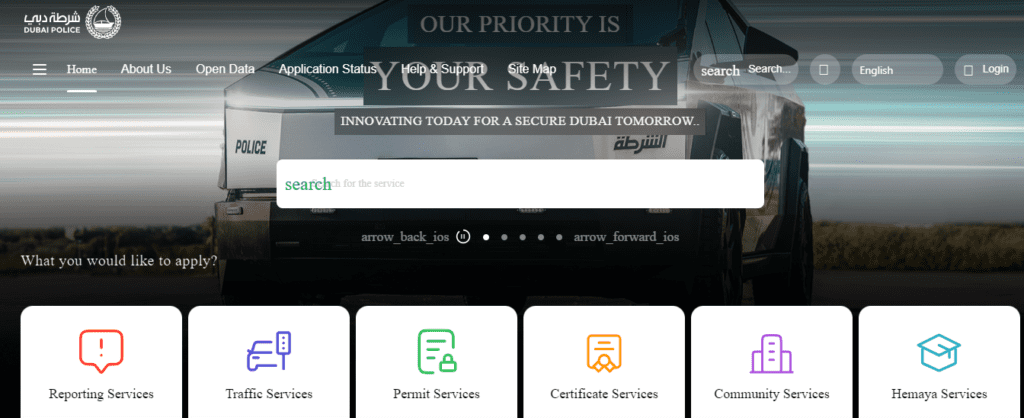
Step 2: Locate the “Services” Section
After getting to the homepage, it will be easy to find a link labeled “Services.”
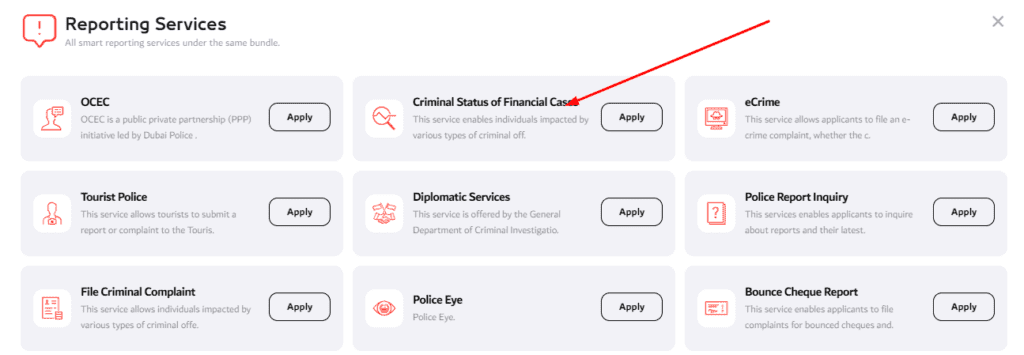
Step 3: Click on “Criminal Status of Financial Cases”
” Criminal Status of Financial Cases,” which is found within the Services section, also has to be selected.
Step 4: Enter Your Emirates ID Card Number
You will be given a serial number with which you need to enter your Emirates ID card number. This ID is important because it connects to your files and documents as experienced.
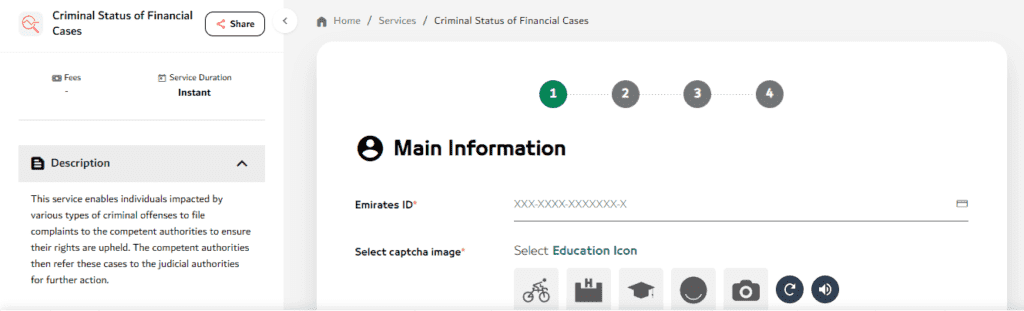
Step 5: Follow the instructions
After entering your Emirates ID, follow the on-screen instructions to complete the process. If there’s a travel ban due to any financial or criminal case, you will be notified of its details.
2. Dubai Police Smart App
Another convenient method to check for travel bans is through the Dubai Police Smart App.
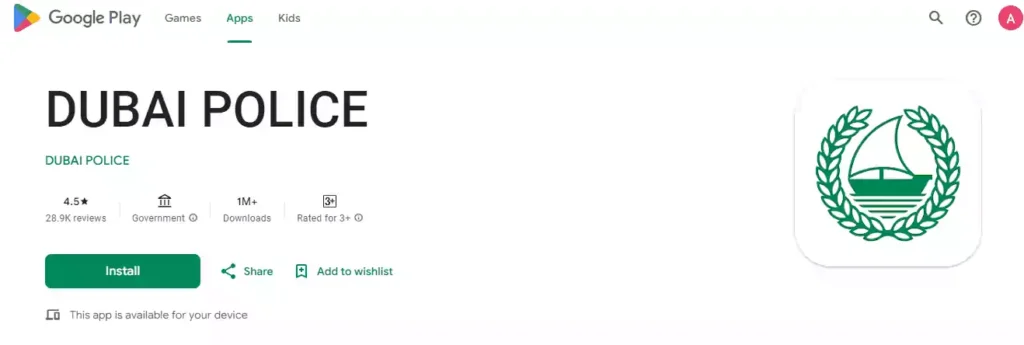
Step 1: Download the Dubai Police App
Dubai Police app can be downloaded from the Apple App Store and the Google App Store.
Step 2: Open the App and Find the Travel Ban Service
Once the app is installed, launch it and go to the service associated with the travel ban check.
Step 3: Enter Your Emirates ID Card Number
Similar to the website, the app will require users to provide their Emirates ID card numbers to determine travel bans. You should input all your details and then continue with the check.
Step 4: View Your Travel Ban Status
The app will show all the current travel bans associated with your Emirates ID. Any legal or financial cases you may have will be displayed on the home screen of the app.
3. Abu Dhabi Judicial Department (Estafser)
If you’re located in Abu Dhabi, you can use the Abu Dhabi Judicial Department’s Estafser service to check if there are any travel restrictions or cases registered against you by the Public Prosecution.
Step 1: Visit the Abu Dhabi Judicial Department Website
Start by accessing the official site of the Abu Dhabi Judicial Department.
Step 2: Look for the “Estafser” Service
Search for the ‘Estafser’ service within the website. This system aims to look for travel bans and warrants from the Public Prosecution.
Step 3: Enter Your Unified Number
Enter your unique identification number to link with your records across all UAE agencies. You can retrieve it from your residency visa.
Step 4: Check for Travel Restrictions
When you enter your unified number the system informs you of any demands or restrictions enforced by the Public Prosecution that might prevent your travelling. Provided you have no bans, then go on your way to travel.
4. In-Person at a Government Office
It might appear better to go to a governmental institution instead of simply going online and checking the facts about your travel ban. The General Directorate of Residency and Foreigners Affairs (GDRFA).
Step 1: Visit a GDRFA Office
You have to visit any GDRFA office in your area. The transportation destinations to the respective offices in different emirates are facilitated.
Step 2: Provide Your Passport and Emirates ID
You have to produce your passport and the Emirates ID at the office.
Step 3: Inquire About Travel Bans
Visit the GDRFA office and talk to the official about checking for any travel regulations or legal matters affecting your account. They will access their database with your information and respond to your inquiry.
Additional Tips for Checking Travel Bans in the UAE
1. Check With Your Employer or sponsor.
Provided that you work in the UAE or have a visa sponsor, your status regarding travel may be available to your employer or sponsor. They may help you to know whether there are any legal limitations to your movement. In some situations, the employers are able to have legal departments where they can do so easily.
2. Consult a Lawyer
Unless you are sure there is no legal matter that can lead to a travel ban, you will be advised to seek the services of a lawyer. They could teach you on any legal issue that was registered and give recommendations on how to approach best in dealing with them.
3. Be Prepared to Address Any Legal Issues
You have to address these problems before attempting to travel at a time when a travel ban is in place because of unresolved legal or financial issues.
The inability to solve such problems may cause difficulties when it comes to check-in or extension of residence permits. You could also seek the assistance of legal counsel or representatives to address the challenges and resolve debts before any travel limitations are imposed.
Final Words
It is crucial for anyone staying or employed in the UAE to know the steps for checking a travel ban. You have different methods to check your travel status: you can access Dubai Police’s website or application or inquire at a GDRFA office. Carry your Emirates ID and passport with you for these checks, and if legal difficulties occur, ask legal firms or your employer or your sponsor for assistance.
Being prepared and informed helps you to confirm that your traveling experiences run without any unexpected hiccups.