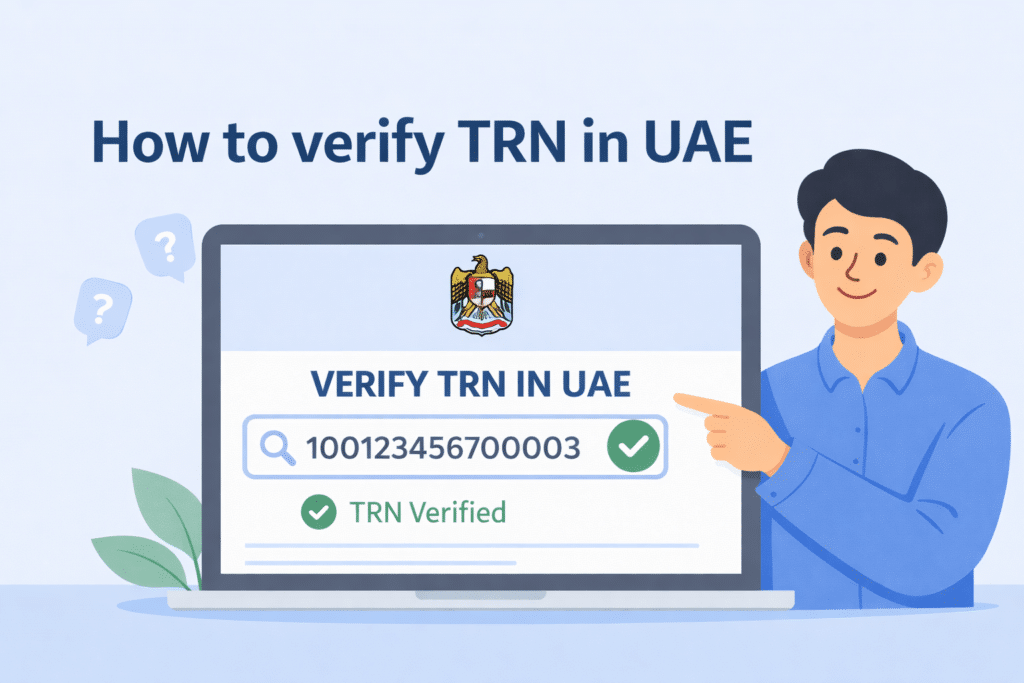
Any corporation based in the United Arab Emirates must maintain proper tax compliance rules. One of the tax compliance requirements is a valid Tax Registration Number (TRN) in the United Arab Emirates. Any person who transacts business with the UAE has to check TRNs to determine whether any company is adhering to the taxation requirements.
This blog guides one to the basics and verifies a TRN in the UAE through the Federal Tax Authority (FTA) portal and mobile app. These steps will be followed to the letter to verify that one is accurate and authentic.
What is a Tax Registration Number (TRN)?
The Tax Registration Number (TRN) is a unique 15-digit tax identifier by the Federal Tax Authority (FTA) that allows registration of Value Added Tax (VAT) business in the UAE. It is essential for:
- Issuing VAT invoices.
- Filing VAT returns.
- Claiming VAT refunds.
- Securing openness in business dealings.
Why is TRN Verification Important?
Verifying a TRN ensures that:
- Handling a business with legal VAT registration preserves your commercial security.
- You avoid fraudulent transactions.
- You claim VAT refunds correctly.
- You must abide by the tax regulations defined by the UAE government.
Methods to Verify a TRN in the UAE
The UAE offers two distinct methods to check TRN authentication.
- Online verification via the FTA e-Services portal
- Verification via the FTA UAE mobile app
Online Verification via the FTA e-Services Portal
Step 1: Access the FTA Website
- Visit the Federal Tax Authority (FTA) official website: https://tax.gov.ae.
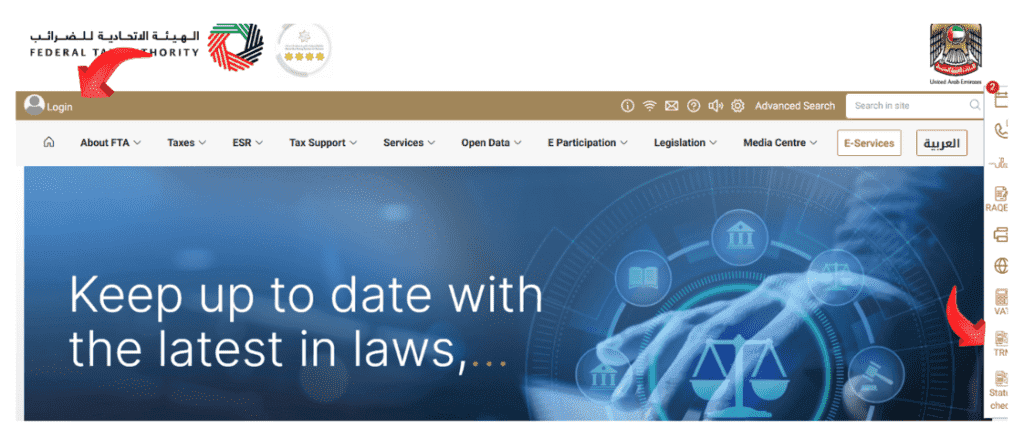
- Make sure you are on a government site, as phishing attacks can be used in unauthenticated pages.
Step 2: Navigate to TRN Verification
- Browse to the section named “TRN Verification” on the screen.
- You can find the TRN verification section on the website’s right side.

- Users should click on the TRN Verification icon to proceed further.
Step 3: Enter the TRN

- Enter the 15-digit TRN in the designated field.
- Abide by the guidelines given to confirm that you are a human being by filling in the captcha code.
Step 4: Click “Verify”
- Click the “Verify” or “Search” button.
- The platform will handle the requested information.
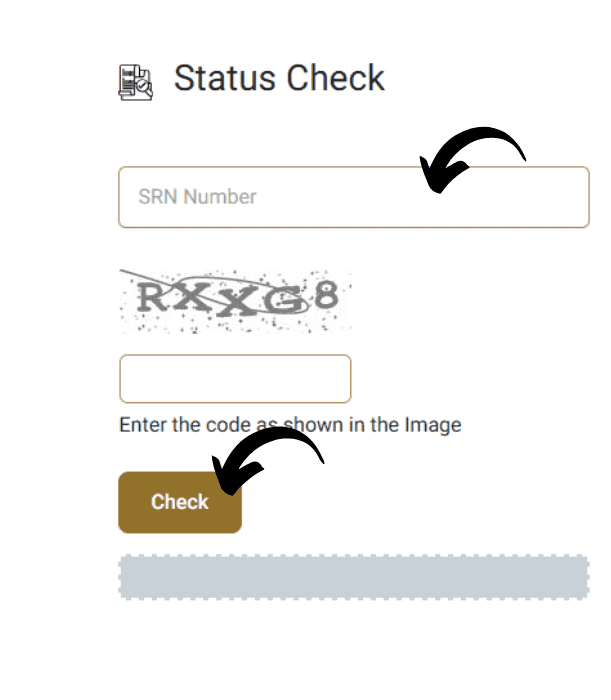
Step 5: Review the Results
- The verification process will show the name of the business that is tied to the TRN when it proves valid.
- A system notice will display when the TRN exists or when it contains errors.
Verifying a TRN via the FTA UAE App
Step 1: Download and Install the FTA UAE App
- The FTA UAE app is available for iOS and Android devices.
- You can acquire the FTA UAE App either on the Apple App Store or Google Play Store.
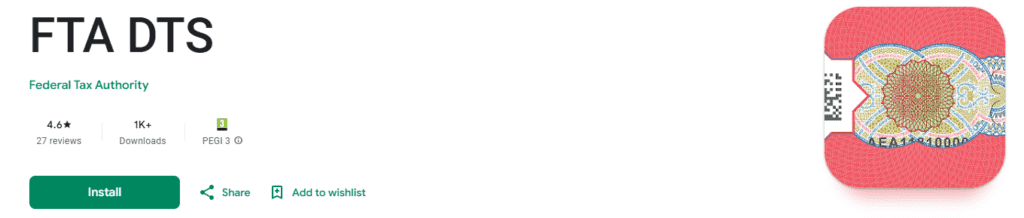
Step 2: Open the FTA UAE App
- Make certain your device collects data from a secure internet connection.
- Move to the TRN Verification Service section in the navigation of the FTA UAE App.
Step 3: Navigate to the TRN Verification Service
- Look for “Services” or “e-Services”.
- The FTA UAE App contains an area referred to as “TRN Verification”.
- Tap on it to proceed.
Step 4: Enter the TRN
- Type the 15-digit TRN into the available text box.
Step 5: Tap “Verify”
- Click on “Verify” to send your verification request to the system.
Step 6: Review the Results
- Within the application, users will see the identity of the business combined with TRN validity information.
- Confirm that the information matches the entity you are dealing with.
Additional Tips for TRN Verification
- Double-check the TRN: Verify the TRN twice to guarantee accuracy because it contains 15 digits.
- Verify on official platforms: The process of verification must always be done through the official FTA website or app.
- Check VAT invoices: Check invoices to make sure that they have a valid TRN.
- Report suspected TRNs: In case you notice a bad TRN, then file it with FTA.
Common Issues and Troubleshooting
1. “Invalid TRN” Error
- Check your input of the TRN for accuracy.
- Confirm whether the business operates under VAT registration.
2. FTA Website Not Loading
- Try using a different browser.
- Clear cache and cookies.
- Check your internet connection.
3. No Results Found
- The business might not be VAT-registered.
- Confirm with the supplier.
Read Also: Dubai Court Case Status by Number – Check in 1 Min!
Final Words
The validity check of TRN in the United Arab Emirates functions as an essential compliance requirement under VAT regulations. You can rapidly verify the TRN validity of any business using the provided methods and simultaneously prevent revenue loss from fraudulent activities while keeping your tax records compliant. The verification process should always occur through official FTA platforms while remaining updated on tax changes to prevent risks.


