
The renewal of the vehicle registration in the city of Dubai is a crucial factor that car owners must carry out to promote legal compliance, safe road usage and easy movement in the Emirates. This guide combines the experience, precision, and reader benefits and offers step-by-step advice and necessary information on how to renew the registration of their vehicle. Using these methods you can renew the registration of the vehicle in 2026.
- RTA Website
- RTA App
Methods for Vehicle/Car Registration Renewal
Dubai’s Roads and Transport Authority (RTA) offers flexible options to suit every driver’s needs, including online, app-based, and in-person renewal methods.
1. Online Vehicle Registration Renewal
Requirements
- Valid Emirates ID
- Current vehicle insurance certificate (valid for at least 12 months)
- Passing vehicle testing certificate (for vehicles over three years old)
- Cleared traffic fines
- Credit/debit card for fee payment
Steps to Renew Online
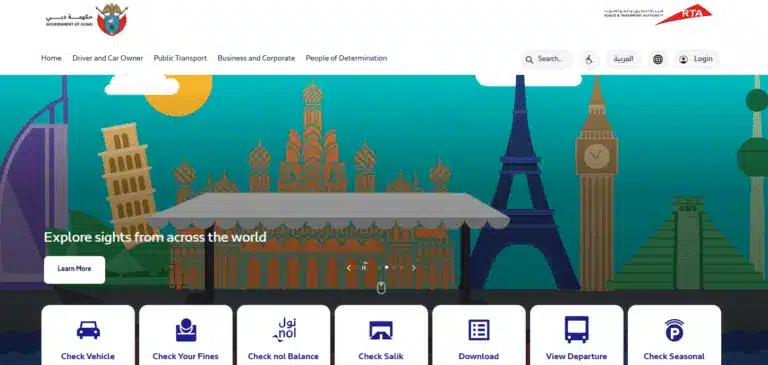
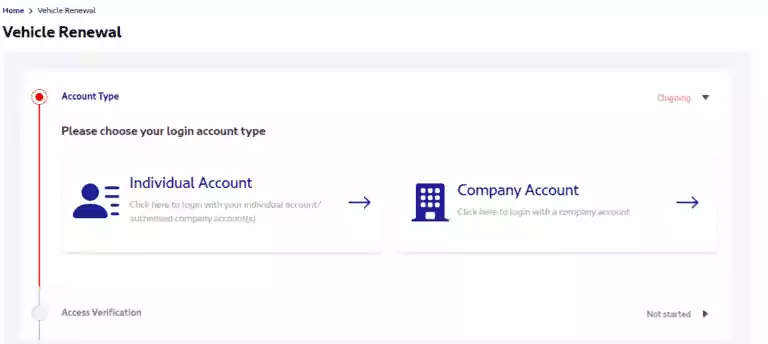
- Access the RTA Website or Dubai Drive App
- Visit RTA’s official website or download the Dubai Drive App.
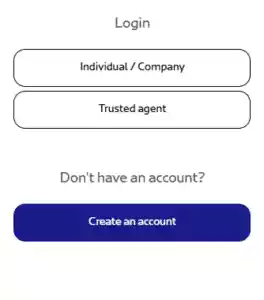
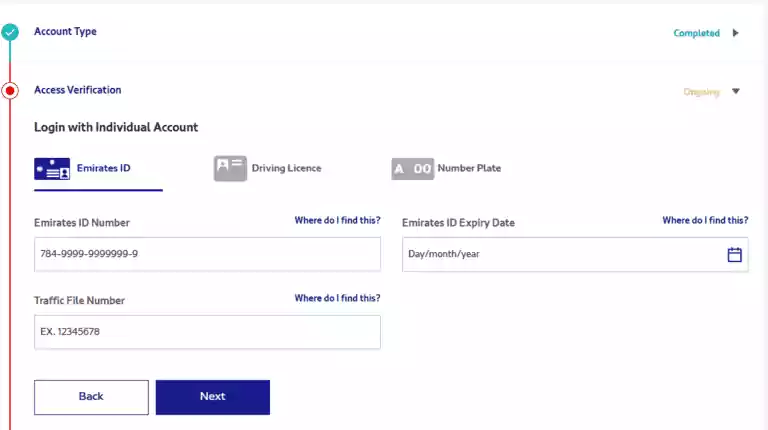
- Login or Create an Account
- Use your Emirates ID to log in or sign up if you don’t already have an account.
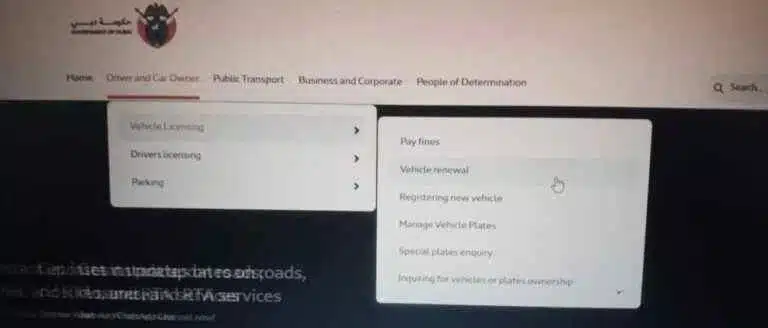
- Navigate to Vehicle Licensing Services
- Go to the “Services” section and select “Vehicle Licensing Services.”
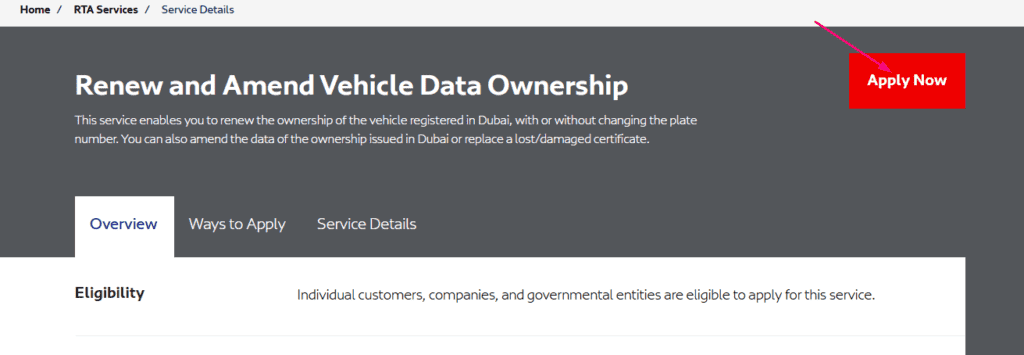
- Choose “Renew Vehicle Registration”
- Select your vehicle and confirm its details.
- Clear Outstanding Fines
- Pay any pending fines directly through the portal.
- Upload Required Documents
- Attach your vehicle insurance and testing certificates.
- Make the Payment
- Use a credit or debit card to pay the renewal fees and any fines.
- Download a Temporary Registration Card
- Once payment is processed, download a digital temporary registration card for immediate use.
- Receive the Physical Card
- Opt for home delivery or collect your card from an RTA office.
Read Also: Your Emirates ID in a Flash: Al-Yalayis Center Guide
2. Renewal via the Dubai Drive App
Requirements
The same requirements apply for online renewal.
Steps
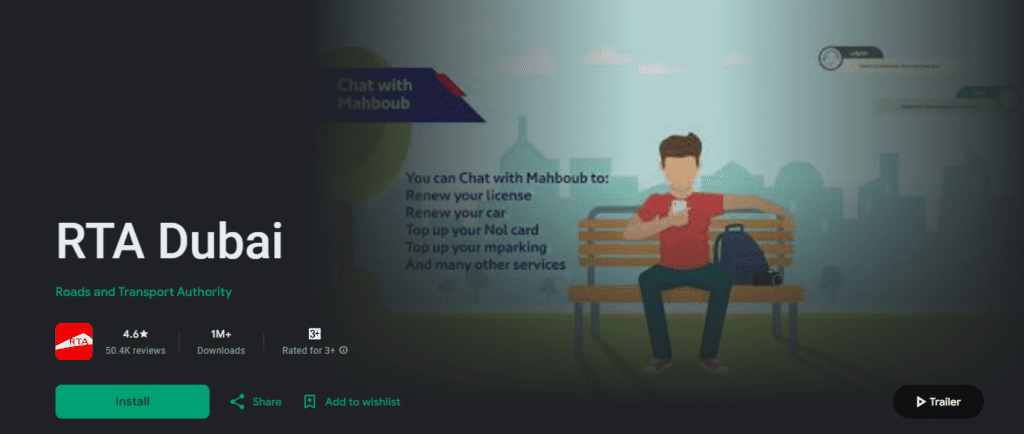
- Download the App
Available on both the App Store and Google Play, the Dubai Drive App is free and user-friendly. - Log In or Create an Account
Enter your credentials or register using your Emirates ID. - Go to “RTA Services”
Tap “My Vehicles” to access the renewal options. - Select Your Vehicle
Confirm the details of the vehicle to be renewed. - Pay Fees and Clear Fines
Settle all payments via credit card directly in the app. - Print Temporary Registration
Use the app’s functionality to print a temporary registration card for immediate use. - Receive Your New Registration Card
Choose home delivery or pick-up options.
3. Renewal at RTA Customer Happiness Centers

Requirements
- Emirates ID
- Current vehicle registration card
- Valid insurance and testing certificates
- Proof of cleared fines
Steps
- Visit the Nearest RTA Center
Find your nearest RTA Customer Happiness Center using the RTA website. - Take a Queue Token
Upon arrival, take a token for vehicle registration services. - Undergo Vehicle Testing
Vehicles over three years old must pass a technical inspection at an RTA-approved testing center. - Submit Your Documents
Present your Emirates ID, registration card, insurance, and testing certificates. - Pay the Renewal Fees
Pay using cash, card, or other accepted methods. - Collect Your Renewed Registration Card
Receive your new registration card and expiry stickers on the spot.
Common Issues and How to Solve Them

1. Failed Vehicle Tests
- Action: Address the specific issues flagged during testing, such as brakes, lights, or emissions.
- Re-inspection: Return for re-inspection once repairs are complete.
2. Expired Insurance
- Action: Renew your insurance promptly to avoid delays.
3. Outstanding Traffic Fines
- Solution: Pay fines online via the RTA website, Dubai Police app, or in person.
Additional Tips for Seamless Renewal
- Schedule Early
Complete vehicle inspections and document preparation well before your registration expires. - Use Online Platforms
Opt for digital solutions to save time and avoid queues. - Stay Updated
Regularly check the RTA website for updates on procedures or fees. - Set Reminders
Mark important dates for vehicle testing, insurance renewal, and registration deadlines.
Benefits of Timely Vehicle Registration Renewal

- Avoid Penalties
Avoid fines that can accumulate quickly for expired registrations. - Enhanced Safety
Ensure your car meets RTA safety standards. - Stress-Free Compliance
Stay on the right side of the law with up-to-date registration and insurance. - Insurance Validity
Keep your insurance coverage intact by maintaining valid registration.
Read Also: Abu Dhabi ID Fines? Check Yours Now!
Final Note
Renewing your vehicle registration in Dubai is a straightforward process when you’re well-prepared. Whether you choose online platforms, app-based services, or visit RTA centers, following these steps ensure compliance, safety, and convenience. Stay proactive, maintain updated documentation, and leverage digital tools to streamline the process.
Before You Renew: Testing, Insurance and Fines Checklist
Registration renewal is mostly a matter of getting three things in order before you open the app or website. This section covers the details the RTA and the UAE government portal list, so you can avoid being sent back halfway through.
The steps as the RTA describes them
- Get the vehicle tested at a vehicle testing centre. The RTA says any testing centre is accepted.
- Insure the vehicle with an authorised insurer.
- Log in on the RTA site or app and pay fines and fees by card.
- Print the temporary registration card.
- Receive the permanent card by courier or collect it from the RTA.
You can see the full list on the RTA vehicle renewal page. Note that this page is written for company vehicle renewals, so private owners should confirm the exact flow in the RTA Dubai app.
Technical testing exemption
The UAE government portal says that for first-time registration, a vehicle must pass an inspection at an authorised testing centre, but vehicles produced within the three years before registration are exempt. It does not say whether the same exemption applies at renewal, so check the vehicle test requirement in the app when you renew. The portal page is here: Registering vehicles on u.ae.
Insurance
The same portal says an electronic vehicle insurance document is part of the registration documents. If your policy has lapsed, renew it first, otherwise the system will not accept the renewal.
Clearing fines first
The RTA says paying fines is a prerequisite for renewing vehicle ownership. You can pay Dubai fines, fines from other emirates and GCC fines through the RTA, while some fines must be paid with the authority that issued them. Search by fine number, plate details, licence number or traffic file number on the RTA fines service page. The RTA lists an extra AED 20 Knowledge and Innovation fee per fine.
Quick troubleshooting
- Renewal blocked: check for unpaid fines, a missing or expired insurance record, or a test result that has not yet been updated.
- Card not arrived: choose courier delivery or collection at renewal time, and keep the temporary card printout with you in the meantime.
- Unsure about fees: use the amount shown at checkout in the official app, not third-party figures.


