
The Dubai Traffic authorities use black points to track traffic violations made by drivers. Multiple black points create an accumulating issue, which may result in license suspension and increased fines. The traffic system in Dubai enables the transfer of black points when particular circumstances apply.
With all these steps, you will have to know your balance in a few seconds and control your financial operations. Always remember to keep your login credentials secure.
What Are Black Points?
Driving offenses in the United Arab Emirates receive punishment through black points. Points from traffic violations in Dubai come with set point values, which can result in these possible outcomes:
- Suspension of the driving license
- Vehicle impoundment
- Additional fines
- Driving ban for serious offenses
Who Can Transfer Black Points?
The transfer of black points becomes possible only under these two conditions:
- The actual driver whose name appears on the registration documents operated the vehicle differently when this offense occurred.
- Black points can be taken by the actual driver who wants to receive these points during the transfer process.
- Customers must finish the transfer process on governmental websites.
How to Transfer Black Points in Abu Dhabi?
Abu Dhabi allows black point transfers through the following platform.
- MOI UAE Website
- TAMM Website
- MOI UAE App
Transferring Black Points on the MOI UAE Website
Step 1: Visit the MOI UAE Website
Go to the official website of the Ministry of Interior (MOI) UAE: moi.gov.ae

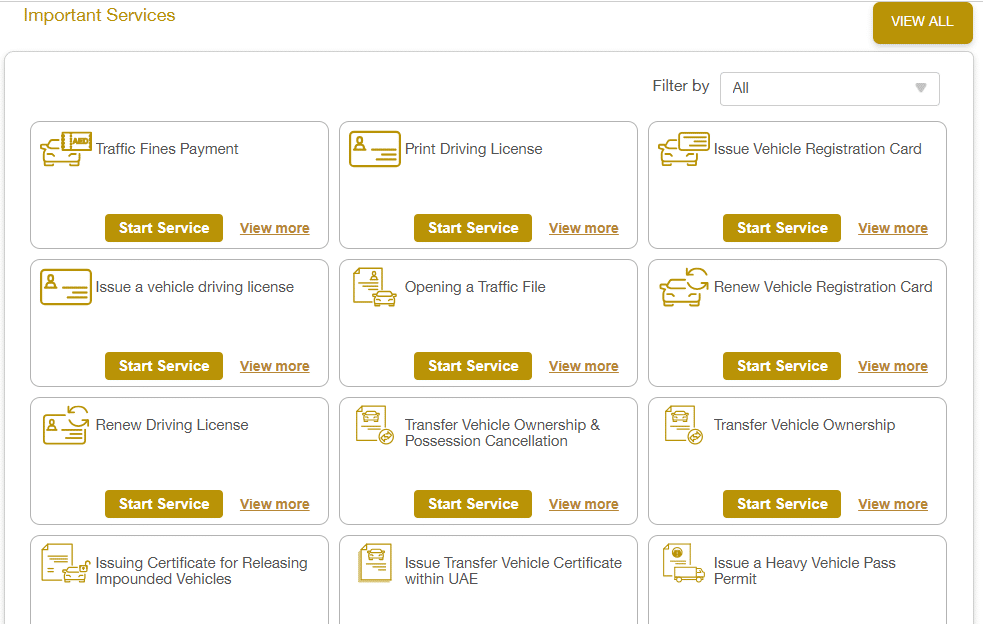
Step 2: Navigate to the Services Section
- Look for the “Services” section.
- Find traffic or licensing-related services.
Step 3: Log In
- Use your UAE PASS or MOI account to log in.
- If you do not have an account, register for one.
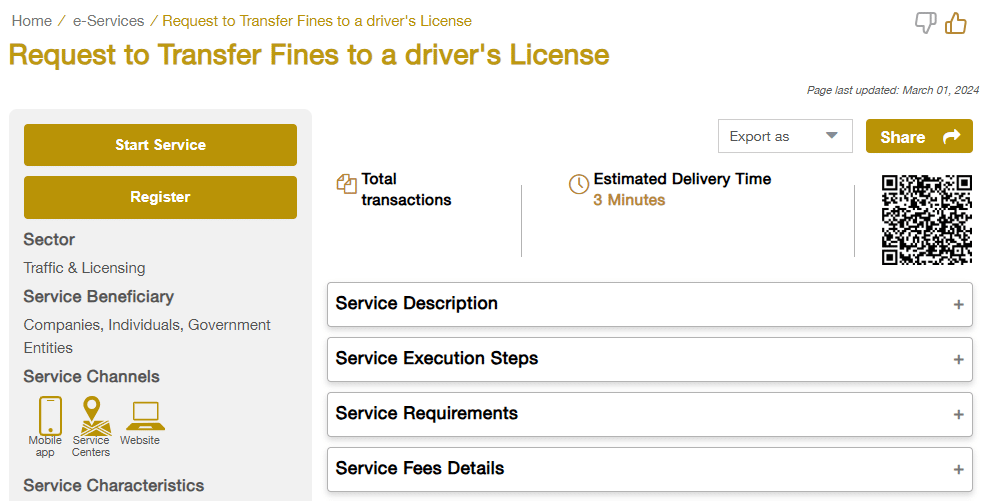
Step 4: Search for Traffic Points Inquiry
Enter your Emirates ID or Driving License details to view your black points.
Find services related to Traffic Points or Black Points Inquiry.
Read Also: 10 Best UAE Job Sites to Get Hired Fast (Apply Now!)
Transfer Black Points via TAMM
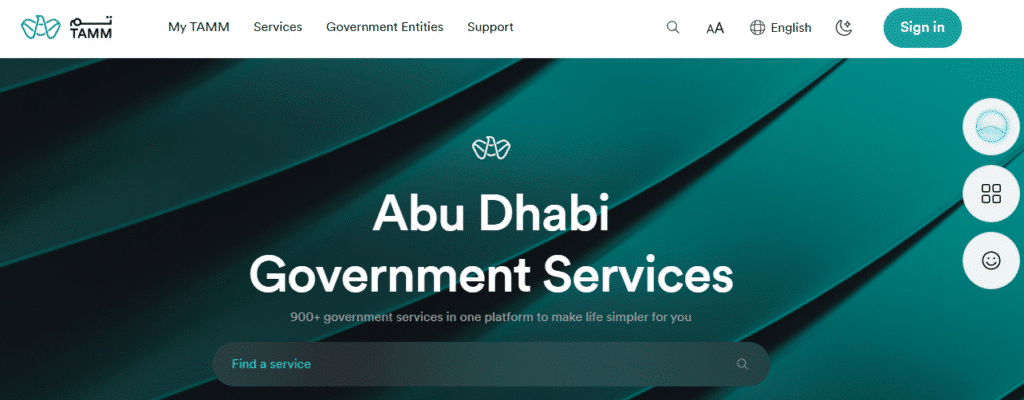
Step 1: Access the TAMM Platform
- Visit the TAMM Abu Dhabi website: tamm.abudhabi.
- Log in using your UAE PASS credentials.
Step 2: Search for the Transfer Service
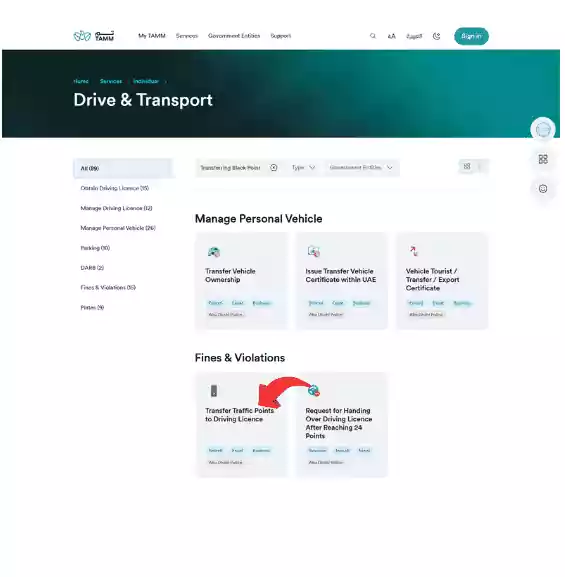
- Use the search bar and type “Transfer Black Points”.
- Select the service “Request to Transfer Traffic Black Points to the Driving License”.
Step 3: Initiate the Transfer
- Choose the option indicating you wish to claim the black points on behalf of another person.
- Enter the Traffic Code (TC) number of the vehicle owner.
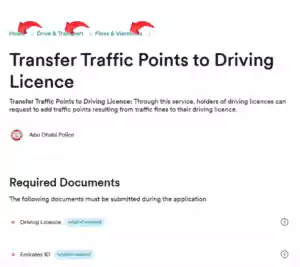
Step 4: Provide Personal Information
- Fill in the required personal details as prompted.
Step 5: Submit the Request
- Review all information for accuracy.
- Submit the request.
Transferring Black Points via the MOI App
Step 1: Download the MOI UAE App
- The app is available on both the Apple App Store and the Google Play Store.

Step 2: Log In
- Use your UAE PASS credentials to log in.

Step 3: Access Traffic Services
- Navigate to the Traffic Services section.
- Select “Register Black Points”.
Step 4: Search for Black Points

- You can search using either:
- The owner’s TC number.
- The vehicle’s plate number.
Step 5: Select Violations to Transfer
- Choose the violations you wish to transfer.
Step 6: Authenticate the Transfer
- Add the One-Time Password (OTP) received on your registered mobile number.
- Provide your TC number to complete the transfer.
Important Points to Remember
- Not all violations are transferable – some serious violations may require legal processing.
- The person receiving the points must confirm the transfer.
- Transfers must be completed before penalties escalate.
- Using UAE PASS is mandatory for authentication.
Frequently Asked Questions (FAQs)
Can you perform black point transfers in Dubai through the online platforms?
The MOI website, along with the MOI app and TAMM platform of Abu Dhabi allow black point transfers to take place.
How long does it take to transfer black points in the UAE?
The point transfer procedure normally operates immediately yet might extend beyond 24 hours according to confirmation process requirements.
What happens if I don’t transfer black points?
Multiple black points will result in motorist license suspension and driver vehicle confiscation, as well as increased penalty fees.
Read Also: UAE Golden Visa: Apply Now & Secure 10-Year Residency!
Final Words
Dubai and Abu Dhabi residents can easily transfer their black driving points through proper procedures. Users who access the MOI UAE Website and TAMM and MOI UAE App will have the assurance that black points move properly to the intended driver. Sustaining prompt action supported by correct procedures helps prevent both unnecessary fines and license suspension events.


