
Salik is likely among the most commonly used solutions out there if you have ever driven through Dubai. You need to know your Salik account number to deal with the toll charges and make your trips to the city as comfortable as possible.
In this guide, I will provide detailed instructions on How To Check the Salik Account Number on the web, via the mobile application, and by calling the Salik support service.
What is Salik?
Salik, which means “clear” or “open” in Arabic, is Dubai’s electronic toll collection system. Introduced by the Roads and Transport Authority (RTA), Salik automatically deducts toll fees as vehicles pass through toll gates across the city. This system helps manage traffic flow and reduces congestion on major roads.
Importance of Salik Account Number
There are several reasons why your Salik account number is important. It allows you to:
- Monitor your toll charges
- Recharge your Salik account
- Ensure smooth travel without interruptions
- Access customer support services
Through Salik Website
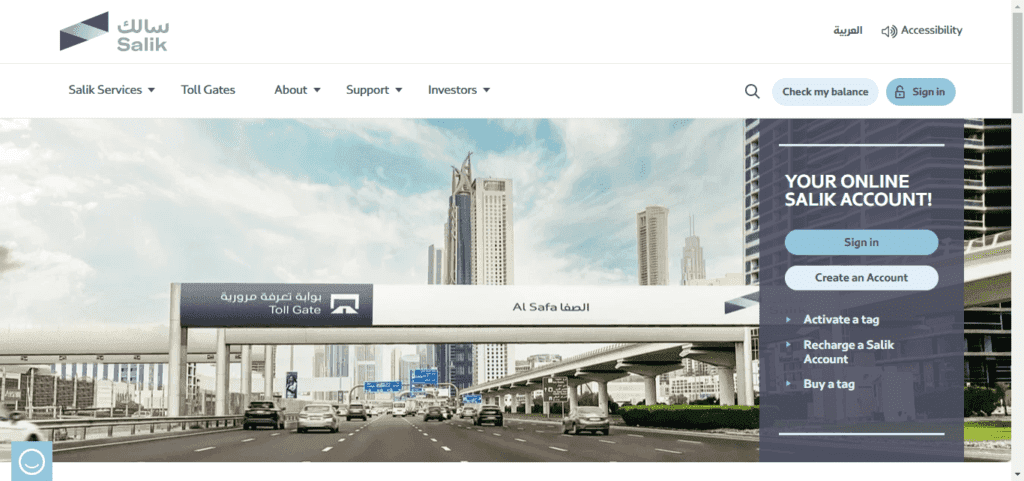
Step-by-Step Guide to Finding Your Salik Account Number Online
- Visit the Official Salik Website Head over to Salik’s official website. The website is intuitive and informative, containing different materials concerning toll payments and personal accounts.
- Log In to Your Salik Account Log in by entering the username and password that you used when signing up. If you have not registered before then you will have to register yourself by giving your details and car details.
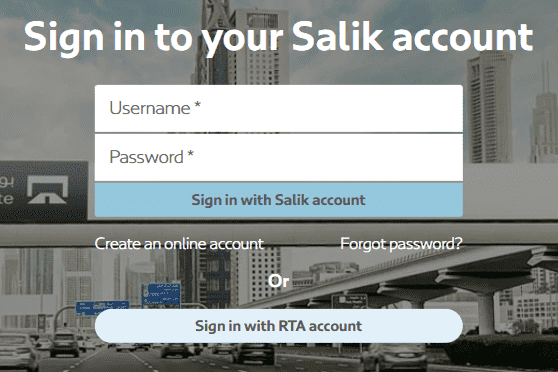
- Locate Your Salik Account Number: After logging in to the website, your Salik account number will be easily found and identified on the upper right portion.
Through the Salik Mobile App
Downloading and Installing the App
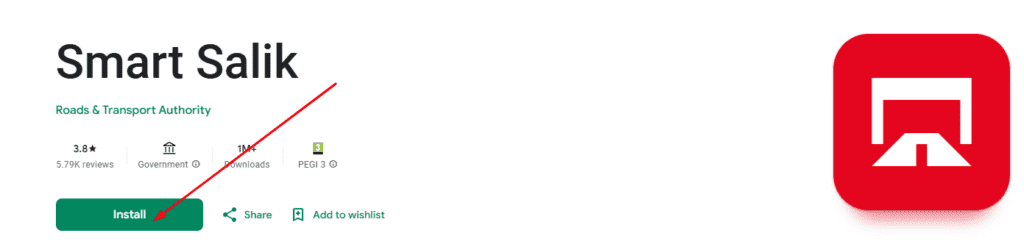
- Download the Salik App
- For iPhone users, go to the App Store.
- Android users should go to Google Play.

- Type Salik and find the app, then install it on your mobile phone.

Finding Your Salik Account Number via the App
- Log In to Your Account Use your registered credentials to log in. If you’re new to the app, you’ll need to sign up first.
- Navigate to Your Account Dashboard After you have successfully logged into the system you will be redirected to Your Account Dashboard. You are here to get your Salik account number and it will be easily available for you all the time.
Contacting the Salik Contact Center
Using the Helpline
- Call the Salik Helpline Call the Salik Helpline Dial 800 Salik 72545 from your phone.
- Choose Your Preferred Language Select Arabic or English according to your convenience.
- Access Your Account For further self-service, press “3” to access your Salik account. You will be required to enter your PIN.
- Retrieve Your Account Number After inputting the PIN, choose option 1 to learn the current account balance. If needed, you can also request your account number from the customer service representative while on the call.
Retrieving Your Account Number via SMS
- Send an SMS If your Salik account is registered on your mobile number, you can get your Salik account number and PIN and dial 5959.
- Receive a Reply SMS You will receive a reply SMS that displays the current balance. It is therefore wise to write down the account number mentioned in the SMS for future use.
Additional Tips for Managing Your Salik Account
Keeping Your Credentials Safe
- Regularly Update Your Password Salik account password should be strong and changed often to reduce instances of hacking.
- Avoid Sharing Your Account Details Keep your account details private and avoid sharing them with others to protect your account from misuse.
Regularly Checking Your Account
- Monitor Your Toll Charges Keep an eye on your toll charges frequently and your account balance to avoid any shocks, and to verify if you have sufficient balance to pay your toll charges.
- Stay Informed About Salik Updates It is advisable to follow up on any changes in the Salik system through the official website or by downloading the application and setting up notifications.
Read Also: Methods For RTA Licence Renewal
Salik Account Number, Tag and PIN: What Each One Is For
Once you have found your account number, it helps to know how it connects to the tag on your windscreen and to your PIN. According to the official Salik how it works page, you stick the Salik tag on the windscreen, it links to your prepaid Salik account, and tolls are taken automatically from the balance as you drive through a gate without stopping.
Account number, tag and PIN
- Account number: you receive it when you buy a Salik tag, as Gulf News explains in its guide to recharging Salik.
- PIN: phone recharges, bank utility payments and some app set-ups ask for the account number and PIN together.
- Website login: the Salik website uses a username and password instead, and registration uses your mobile number plus either your plate number or your account number.
Ways to top up
Gulf News lists nine ways to recharge: the Salik website, the DubaiNow app, Careem, the Tamm app, mall kiosks, recharge cards, the Smart Salik app, the RTA Dubai Drive app and bank apps or websites. Recharge cards come in AED 50, AED 100 and AED 200 and can be redeemed by calling 800 SALIK (72545), texting 5959, on the website or in the Smart Salik app. Read the full list here: Dubai: 9 ways to recharge your Salik account.
Auto top-up
In the DubaiNow app you can set a regular recharge amount and switch on auto top-up. Gulf News says it triggers when your balance drops below AED 4, but check the app for the current threshold.
Toll gates and charges
The Salik site lists eight gates on Dubai highways: Al Safa, Al Barsha, Al Garhoud Bridge, Al Maktoum Bridge, Al Mamzar North, Al Mamzar South, the Airport Tunnel and Jebel Ali. Toll amounts and rules can change, so check the Salik website for the current charge before you travel.
Good habits
- Keep a note of your account number somewhere safe, but do not share your PIN.
- Top up before long trips, since you will not see a gate warning when you drive through.
- If the account number on a message or website looks unfamiliar, use only the official Salik site or app.
Related guides
- FAB Balance Check 2026 – 7 Official Ways (ATM, SMS, App)
- Mashreq Bank Near Me in Dubai | Branch & ATM Locator
- Close Bank Account in Dubai Fast: 3 Easy Ways (2026)
- Close Mashreq Bank Account Online – Quick, Easy & No Fees!
- How to Open a UAE Bank Account as a Non-Resident (2026)
Final Words
It is therefore important to manage your Salik account properly so that you do not face any problems whenever you are driving in Dubai. With the aid of the guidelines provided above, one is capable of checking the account number of Salik using the website, the mobile application, or even by calling the relevant department. Keeping an eye on your transactions and securing your login information will assist you in avoiding high toll payments and ensure a rather unobstructed ride across the city.


