
Do you work as an OFW and have an OWWA membership that is expiring soon? There is no need to cause a lot of inconvenience or waste time trying to renew your OWWA membership. You can renew your membership now instantaneously, securely, and conveniently either via the formal site, mobile application, or even in OWWA places, regardless of whether you are working abroad or back in the Philippines.
Here, I will demonstrate to you in stages how to renew your OWWA membership through these processes.
- OWWA Website
- OWWA App
- OWWA Center
explain the requirements, fees, and common issues, and help you choose the best method for your situation.
What Is OWWA?
OWWA (Overseas Workers Welfare Administration) is a government agency of the Philippines that offers welfare services, insurance, and programs for OFWs.
It is essential to renew your membership due to the following reasons:
- It gives you a guarantee that you still have health, legal, and insurance benefits.
- It maintains your registration with the government services.
- It allows you to participate in OWWA programs and trainings.
You can renew your membership online even when you are away, so that you can save time and not spend time in queues.
Requirements for OWWA Membership Renewal
Before you start, make sure you have the following:
- Valid Passport – with your current visa information
- Employment Proof – such as a contract or work certificate
- Active Email Address – to receive confirmation and receipts
- Payment Method – credit/debit card or online payment options
- Previous OWWA Membership Details – your OWWA ID number or registration info
How Much Is an OWWA Membership Renewal?
The standard fee for renewal is PHP 500 for active members.
- Membership is valid for two years
- Payment can be done online via app or website
- Keep your receipt for future reference
Paying the official fee ensures your benefits remain active, and you avoid delays in processing.
Read Also: How to Download Labour Contract in UAE (MOHRE Guide)
Via OWWA Website
Here’s the full process to renew your OWWA membership online:
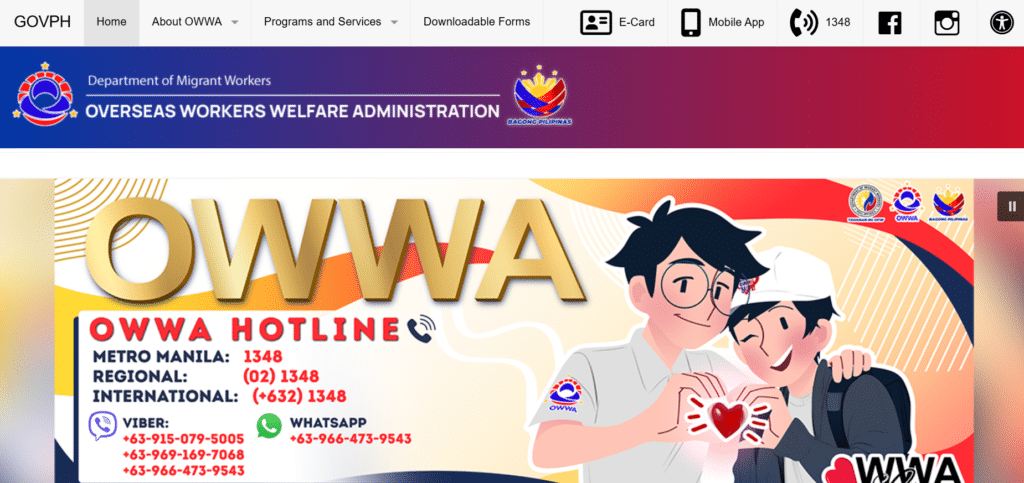
Step 1: Visit the Official OWWA Website
- Go to https://www.owwa.gov.ph
This ensures you’re using a safe and legitimate platform.
Step 2: Log In to Your OWWA Account
- Enter registered email/ password.
- In case you lost your password, choose the option of Forget Password to change your password.
Step 3: Navigate to the Membership Renewal Section
- Look for “Membership Renewal” on the dashboard
- Click “Renew Now” to start the process
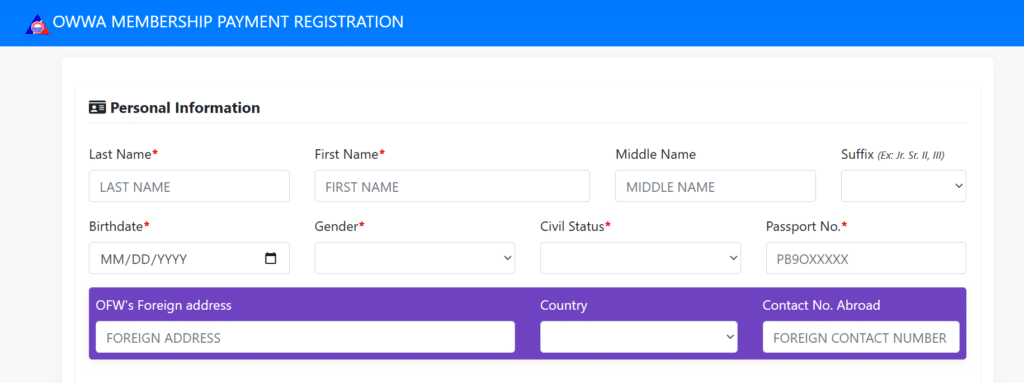
Step 4: Complete the Online Form
- Fill in your personal information as per your OWWA records
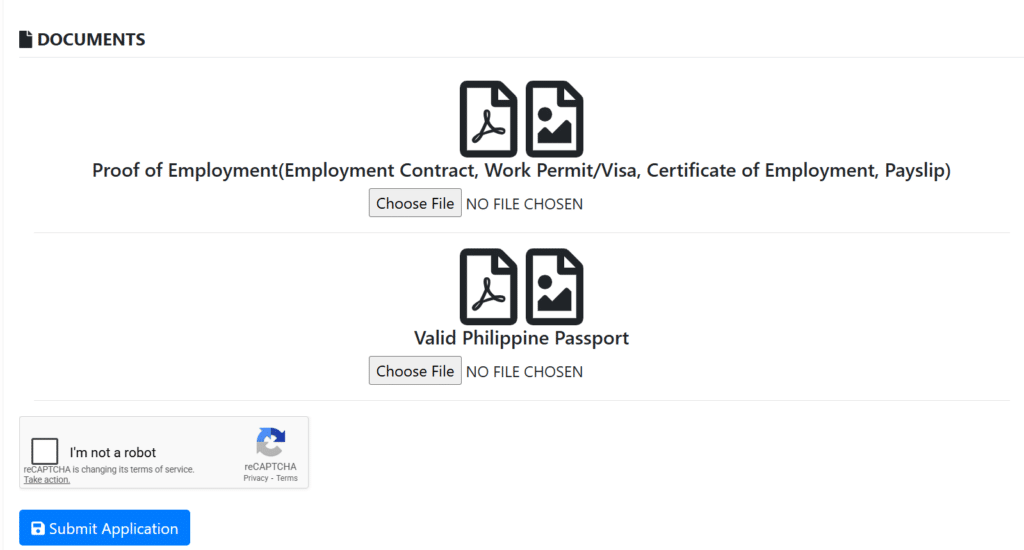
- Send necessary papers (passport, working certificates, old OWWA ID)
Step 5: Pay the Membership Fee
- The payment methods can be in the form of a credit card, a debit card, or online banking.
Step 6: Receive Confirmation
- Once you pay, you will get an electronic receipt in your inbox.
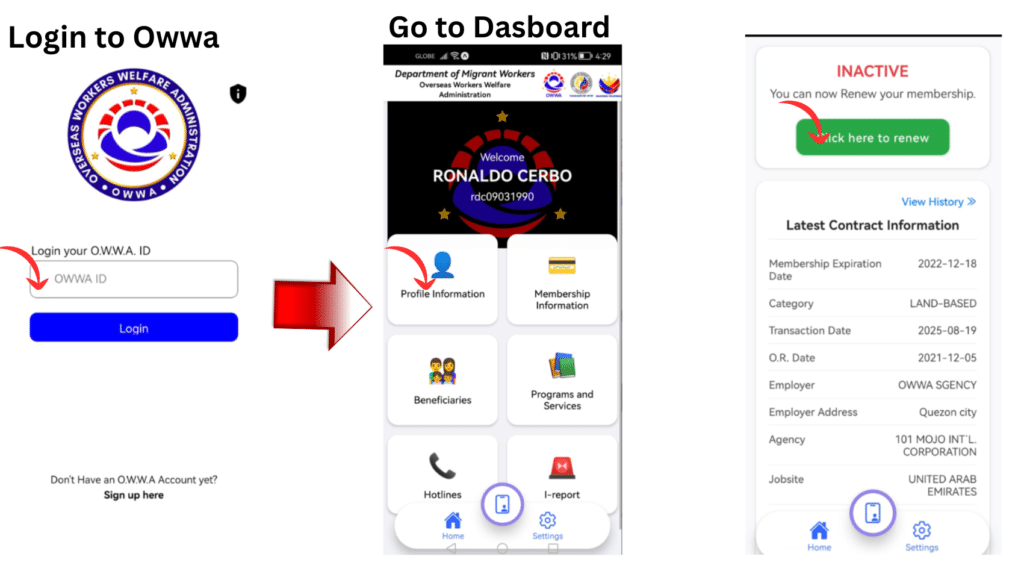
2. via the Official OWWA Mobile App
Steps:
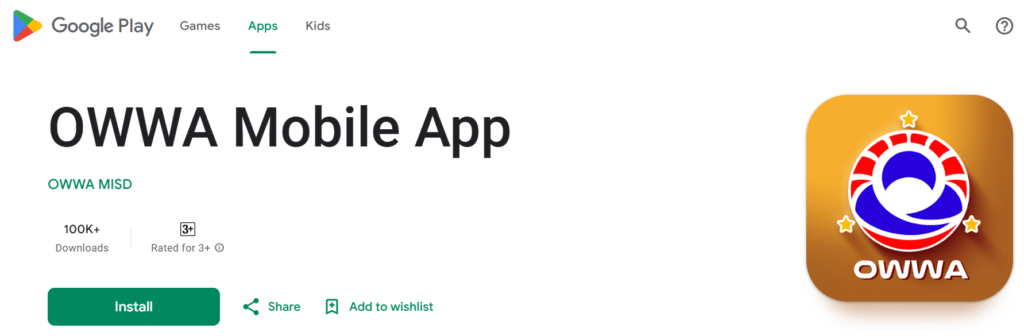
- Download the OWWA app from Google Play or App Store
- Log in to your account
- Navigate to “Membership Renewal”
- Drag the necessary papers.
- Pay using a safe mobile payment.
- Get an electronic receipt and confirmation.
3. Renew at OWWA Offices
Steps:
- Visit the nearest OWWA regional or branch office
- Complete the renewal form for membership.
- Submit required documents
- Make membership payments at the counter.
- Get a printed receipt and confirmation.
Common Issues During Online Renewal and How to Fix Them
Although the process is simple, there are occasions when the user may have difficulties:
| Problem | Solution |
|---|---|
| App/website not loading | Clear cache, use an updated browser, or try the app |
| Payment failed | Check card limits, internet connection, or try another payment method |
| Account not found | Ensure email and OWWA ID match your records |
| No confirmation email | Check spam/junk folder, or contact OWWA support |
Online vs On-Site Renewal
Online renewal is more convenient and quicker, particularly for the OFWs located overseas.
- Savings on time and the necessity to go to offices.
- Track payment and confirmation digitally
- Accessible anywhere with internet
Renewal can only be on-site in cases:
- You must make a physical update to the records.
- There is an exception that involves the checking of documents.
Is Online OWWA Renewal Safe?
Yes. The official site and app of OWWA are secure in regard to payment gateways.
- Only use the official OWWA website or app
- Avoid third-party services
- Keep digital receipts for proof
Who Should Renew Now?
You should renew if you:
- Are you an active OFW wanting continuous benefits
- Have an expired membership
- Plan to apply for OWWA programs or trainings
- Desires to be eligible for health insurance and repatriation services.
Early renewal helps to avoid the gaps in the coverage and penalties.
Read Also: How to Find a Company TRN in UAE (Legal Methods Explained)
Final Words
Nowadays, renewing your OWWA membership is easy, quick, and secure through the internet. You can still stay in the current place and enjoy the benefits of OWWA by using this guide.
Remember:
- Before commencement requirements
- Keep digital documents ready
- Pay the registration fee and take the receipt.
- Contact OWWA support in case you face any problem.
The following step-by-step guide will make sure that you will never be questioned about an expiring membership again. Renew today and stay covered!