Trying to shop on Noon UAE but having trouble placing, receiving, paying for, or returning your orders? This Noon UAE guide will assist you in understanding what Noon has to offer, what the best deals are, how to keep abreast of your orders, and how to troubleshoot common shopping problems without confusion. One of the most popular online shopping platforms in the UAE, Noon caters to shoppers with its vast selection ranging from electronics to women’s fashion, beauty products, home products, and groceries.
This will help you to find out how to shop on Noon UAE, the payment options you might have, details about delivery fees, how to follow up an order, and information on returns and refunds.
What Is Noon UAE?
Noon UAE is the UAE version of Noon online shopping. Users can access its website online or via a mobile application to view the Chrome Safe inventory, compare the prices of the products they are interested in, place orders, select their payment options, and track their goods.
It has products in a variety of categories, ranging from electronics to fashion and beauty, home and kitchen, and more.
What Can You Buy on Noon UAE?
Noon provides products in a variety of shopping categories. They can be selected depending on their availability, quantity on hand, location, and the particular listing.
| Category | Examples of products |
|---|---|
| Electronics | Smartphones, laptops, televisions and accessories |
| Fashion | Clothing, shoes, bags and accessories |
| Beauty and personal care | Skincare, makeup and grooming products |
| Home and kitchen | Appliances, cookware, furniture and household items |
| Baby products | Baby clothing, care products and selected equipment |
| Sports and outdoors | Fitness accessories and outdoor equipment |
| Grocery and everyday essentials | Eligible food and household products |
| Automotive | Selected vehicle accessories and related products |
Make sure you make a comparison of similar items before ordering. Articles and accessories are subject to various model differences, capacities, warranties, etc., between seemingly similar products.
How to Shop on Noon UAE
Shopping on Noon UAE consists of searching for a product, view information about the product, adding the product to cart and making the checkout. Here are some tips for being able to make your purchase wisely.
Step 1: Visit the Official Noon UAE Website
Open noon.com/uae-en or use the official Noon app.
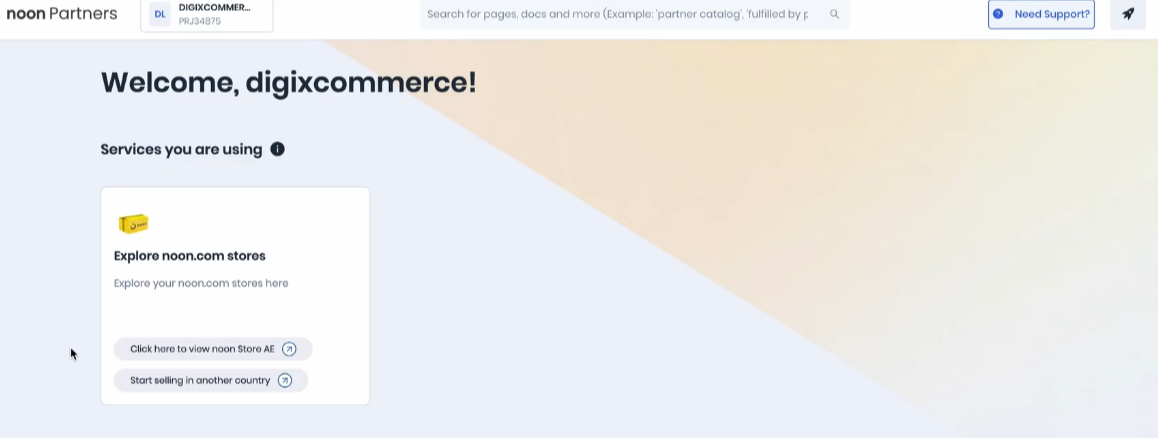
Ensure that you are on the right UAE storefront, as this will allow you to see the availability, transfer, and the price of the respective products.
Step 2: Search for the Product You Need
Enter a product name, brand, or model of a product in the search bar. If you’re looking into alternatives, feel free to use the categories as well.
For instance, when you search for a specific smartphone model and have a specific amount of memory in mind, it will be more helpful than searching for a brand name.
Step 3: Compare Product Listings
Be sure to open the available listings and compare different prices, descriptions, specifications, seller, and customer reviews (where available).
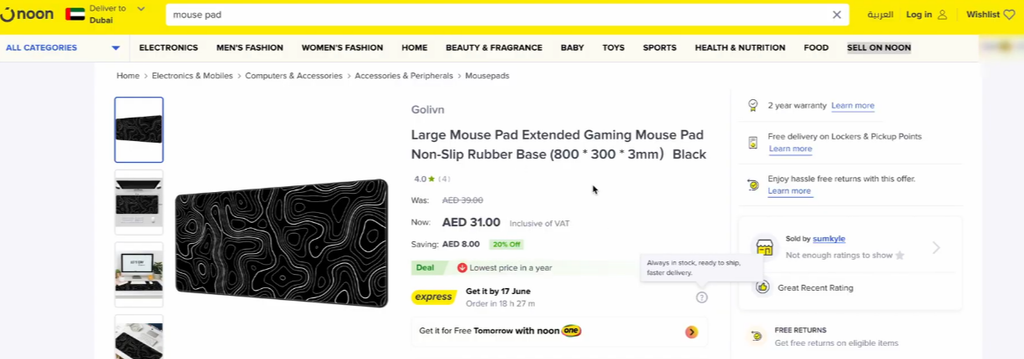
Ask for the accessories, manufacturer’s warranties, or other items you think you should get. Not all sellers and products have the same benefits.
Step 4: Review the Product Details
Please read the description and delivery estimates. For the purchase of electronic items, ensure that the model and specs are suitable for you.
Step 5: Add the Product to Your Cart
Select the quantity and options you want and then add products to your shopping cart.
If products that are like each other are coming back on the same page of search results, then you should make sure that you have the correct product and quantity—especially if you have other products in your shopping cart.
Step 6: Sign In and Enter Your Delivery Address
Sign in to your account or follow the registration process if you are a new customer.
Add or choose the delivery address (address to which an order should be delivered). Review all building information, area, phone number, and other required information.
Step 7: Choose an Available Payment Method
Now, check out and check the payment options for your order.
Not all delivery methods and options will be available for all products. Select a suitable option and see if you have any applicable fees displayed in the order total.
How to Check Delivery Charges
- Open the product listing you want to purchase.
- Review the available shipping and delivery information.
- Add the product to your cart.
- Enter or select your delivery address.
- Review the available delivery options.
- Check the delivery fee and estimated arrival date before confirming payment.
What Is Noon Express?
Refunds may be issued at any time once the goods return process is in progress (and, if applicable, they are sent for examination); once the goods have been returned, it depends on the method of payment and the time it takes for the bank to process the transaction.
In the Orders section, the user may see information about the refunds and check the order they intend to refund, and if available, the Track Refund option to view the status of the refund.
Read Noon’s Express delivery guide for more information.
How to Track a Noon UAE Order
Orders can be monitored on the Noon Orders section. The tracking details will provide information such as the delivery estimate, the status of the products and any information about the items or shipments.
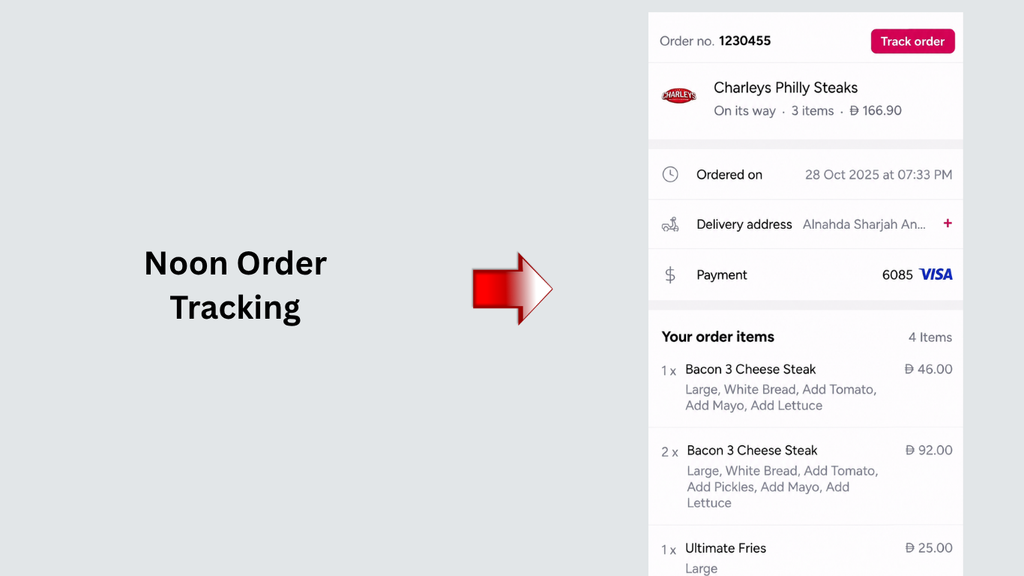
Follow these steps:
- Open the Noon website or app.
- Sign in to the account used to place the order.
- Open Account and select Orders.
- Choose the order you want to track.
- Review its current status and estimated delivery date.
- Open the available tracking details for more information.
How Long Do Noon UAE Refunds Take?
The time for issuing refunds depends on the procedure for the return of the goods, examination (where applicable), the method of payment, and bank processing time.
Customers can check details of refunds in the Orders section, select the desired order, and check the Track Refund option, where applicable, for the progress of refunds.
Eligible card payments may be returned to the original card, and cash-on-delivery refunds are included in Noon Credits based on conditions and options.
How to Contact Noon UAE Customer Service
If you experience a problem with an order, payment, delivery, return, or account, begin with the official Noon Help Centre.
Where possible, sign in and open the relevant order before seeking assistance. This helps you find the available support options for your specific purchase.
Prepare the following information if it is relevant to your issue:
- Your order number.
- The product name or item details.
- A clear description of the problem.
- Relevant payment or order confirmation details.
- Photographs of a damaged or incorrect item, if requested.
Only give your password out via recognised support channels, and do not use one-time verification codes or payment credit card data with an unrecognized contact.
Tips for Safe and Smart Shopping on Noon UAE
There are several checks you can make before and after an order to help preempt some of the common order problems.
Check Product Specifications
The model, size, and capacity of the product and its accessories. Images can sometimes not sufficiently describe unique products.
Review Seller and Warranty Information
Check the seller’s information and warranty if available. Before entering into a costly electronics or appliance purchase, find out who offers warranty support and what the conditions are.
Compare the Final Price
Consider the product price, delivery charge, eligible discounts, and other applicable fees. A lower advertised price may not result in the lowest final cost.
Frequently Asked Questions
1. What is Noon UAE?
Noon UAE is the local Middle East counterpart of the global shopping site, Noon. It enables customers to browse products, make qualified orders, select payment options, and control deliveries.
2. How do I shop on Noon UAE?
Check the official website or app for a product, search for products, compare the provided listings, add the desired product to the cart, sign in to an account, and enter your delivery address.
3. Is Noon available in Dubai and Abu Dhabi?
While Noon is a UAE shopping platform, certain products and delivery services are available depending on the product as well as the delivery address.
4. How to register for Noon UAE?
Visit and follow the registration procedure on the official Website or Application. Fill in the requested information and verification requirements during the registration process.
Read more: Hafilat Check Balance Online and Card Recharge Instructions
Final Words
Noon UAE shopping guide to help you by giving you all the details on how to buy on the platform, make comparisons, watch out for promotions, select a payment option, see delivery details, track your order, and understand the return and refund process.
Products will be available just as listed at checkout, and delivery requirements, return payments, etc. may differ; please review the information displayed at checkout for further information and always check Noon’s policies for a final decision.