
Salik is an implemented electronic toll collection system in Dubai, UAE, that charges drivers a fee every time they traverse the major highway toll gates. To avoid Salik fines, all vehicles operating on these toll roads must have a registered Salik tag. In Dubai, some key aspects of existing or new drivers need to learn about Salik and its registration to allow them to travel without the strain of incurring fines.
In this detailed description, I will explain how you should register for Salik in online and offline ways. This will include buying a tag, getting your tag activated, account management, and any other details necessary.
What is Salik?
Salik is an Arabic word translated as ‘clear’ or ‘open’, an electronic toll-paying system in Dubai run by the RTA. The toll roads do not have toll booths or barriers, and this means that the flow of traffic is not restricted in any way. However, you do not need to drop the coin in theSalik gates slot because when your car goes through the Salik gate, the toll fee is subtracted from your Salik account balance.
How Salik Works
- Electronic Tag: Every car requires the Salik tag, which is a small sticker that is placed on the car’s windscreen.
- Automatic Deduction: When you go through a Salik toll gate, the amount is debited from your Salik account.
- No Barriers or Stops: A salik gate is an open type, and you do not have to halt or reduce your speed when entering it.
- Fines for Unregistered Vehicles: When you have your vehicle not registered, you are charged for every toll gate you pass without using tags.
Methods to Register Salik
Online Registration:
- Visit the Salik Dubai Website: Go to the official Salik Dubai website.

- Create an Account: On this page, locate the “New User Registration” link and click on it.
- Enter Details: Fill in the required information, such as your name, email address, phone number, and vehicle details.
- Purchase Salik Tag: Select the “Purchase Salik Tag” option.
- Provide Vehicle Information: Enter your vehicle registration number and other relevant information.
- Select Delivery Address: Specify where you want the Salik tag to be delivered.
Offline Registration:
- Visit an RTA Customer Happiness Center: Locate a nearby RTA center.
- Submit Documents: Send your vehicle registration information, identification information, and payment information.
- Purchase Salik Tag: Buy the tag from the center.
- Activation: The staff will activate your Salik tag on the spot.

Additional Information
After you have registered your car and collected your Salik tag, there are other things that you ought to know about to have a smooth ride in your car within the city of Dubai.
Salik Tag Installation
- Step 1: Upon receipt of the Salik tag, make sure that it is properly mounted in the vehicle that you intend to use.
- Step 2: The tag should be placed inside the windshield, typically behind the rearview mirror.
- Step 3: Ensure that the windshield is free from dust and moisture before affixing the tag. You should also adhere to the directions given under the tag to avoid positioning the signs in the wrong places.
Toll Charges
- Step 1: Every time you use any Salik toll gate, the amount of toll will be debited from your Salik balance.
- Step 2: The toll is AED 4 or AED 6 per gate depending on the time of day. AED 6 applies at peak (6 to 10 AM and 4 to 8 PM, Monday to Saturday), and crossings are free from 1 AM to 6 AM. Sundays are a flat AED 4.
- Step 3: Make sure to keep your Salik account funded to avoid penalties for insufficient balance.
Account Management
Managing your Salik account is essential to ensure you don’t face fines or disruptions while using Dubai’s toll roads.
Checking Your Balance
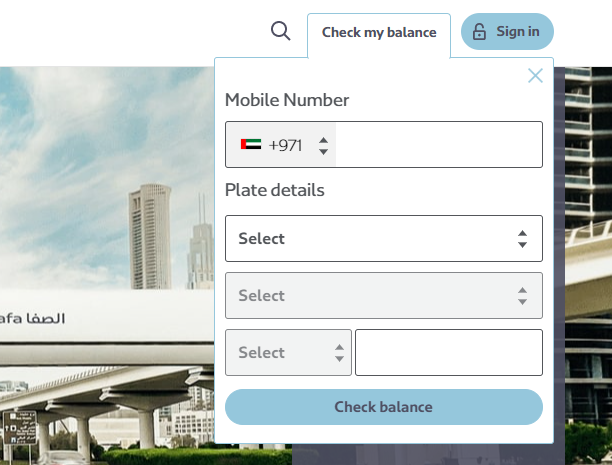
- Step 1: Log in to your Salik account on the official website or mobile app.
- Step 2: Your balance will be visible on the dashboard. Make sure you refill it when it gets empty.
Viewing Transaction History
- Step 1: Go to your Salik account and click on the tab labeled “Transaction History”.
- Step 2: Here, you can view all the toll gates you’ve passed through and the charges deducted.
Renewing or Updating Your Tag
- Step 1: If the tag is damaged or if one wants to apply for a new tag, one can do this through Salik or at the RTA Customer Happiness Centre.
- Step 2: Comply with the information available on the website or contact RTA authorities for further assistance.
Read Also: UAE’s Top 15 Online Money-Makers: Digital Empire Start
Salik Registration: What to Know Before You Buy a Tag
A few details are worth knowing before you register, because the toll system has changed since the basic AED 4 per gate days. According to Wikipedia’s Salik article, motorists buy a prepaid tag for AED 100 that includes a AED 50 toll balance, and the tag is a passive RFID sticker fixed to the windscreen. Cameras that read number plates act as a backup when a tag is missing or cannot be read, so the plate you register matters as much as the sticker.
Where to register and manage the account
The official Salik website lets you create a new Salik account or add a vehicle or tag to an existing one. It also advises buying a new tag when you buy a new vehicle, so do not assume an old tag moves across to the new car. The site says top-ups can be made with a recharge card, and the Smart Salik app also handles top-ups and balance checks. You can view your trips and dispute violations from the same site.
The toll is no longer a flat AED 4
Since 31 January 2025, Salik has used time-of-day pricing, as reported by CITTI Magazine. The standard schedule is below, and Ramadan has its own hours, so check the RTA website or the Salik site for the current timetable.
| Period | Hours | Rate (AED) |
|---|---|---|
| Peak | 6am to 10am and 4pm to 8pm | 6 |
| Off-peak | 10am to 4pm and 8pm to 1am | 4 |
| No charge | 1am to 6am | 0 |
| Sundays (not public holidays or major events) | All day | 4 flat |
Wikipedia also notes that passing the Al Mamzar North and South gates, or the Al Safa North and South gates, within one hour in the same direction is charged only once.
Register early
The Gulf News explainer on Salik fines says an unregistered tag gives you 10 working days from the first trip to register, after which fines apply (Gulf News reports AED 100 for the first offence, rising on repeat offences), and that a low balance still lets you pass but must be topped up within five working days. That article is older, so confirm the current amounts and deadlines on the official sites before relying on them.
Quick checklist
- Register the tag against the correct number plate and keep your mobile number current, since violation alerts go to the number linked to the vehicle.
- Keep the balance above the peak rate of AED 6 so a busy-hour crossing does not tip you into a fine.
- Buy a new tag when you change cars rather than reusing the old sticker.
Related guides
- UAE Traffic File Number – What It Is & How to Find Yours
- Abu Dhabi External Fines: A Complete Guide
- Check Salik Balance via SMS, Plate or Online in 2026
- How to Invest in Salik’s IPO: A Step-by-Step Guide
- Dubai Salik Gates: Total Number, Locations & 2026 Update
Final Words
Salik is something that you need to sign up for if you are going to be driving in any part of the UAE, especially in Dubai. Regardless of the registration of toll charges online or offline, the whole process is integrated and will allow you to travel through the busy roads without disturbances, having your toll charges paid for automatically.
Should you have any additional inquiries regarding registration or if you experience any problems throughout the process, help from the Salik website and RTA Customer Happiness Centers can be sought.


